 Shifter for Linux
Shifter Residential Proxies, native on Linux.
One click sets the GNOME proxy to your Residential Proxies or ISP Proxies plan. Browsers and apps that follow it use the location you pick.



Change location, not your config.
Pick another place and the app swaps the exit for you. No proxy URLs to edit, no session to restart.
Your whole plan, without gsettings.
No proxy commands to type. The app reads your plans and sets the GNOME proxy for you.
Plans
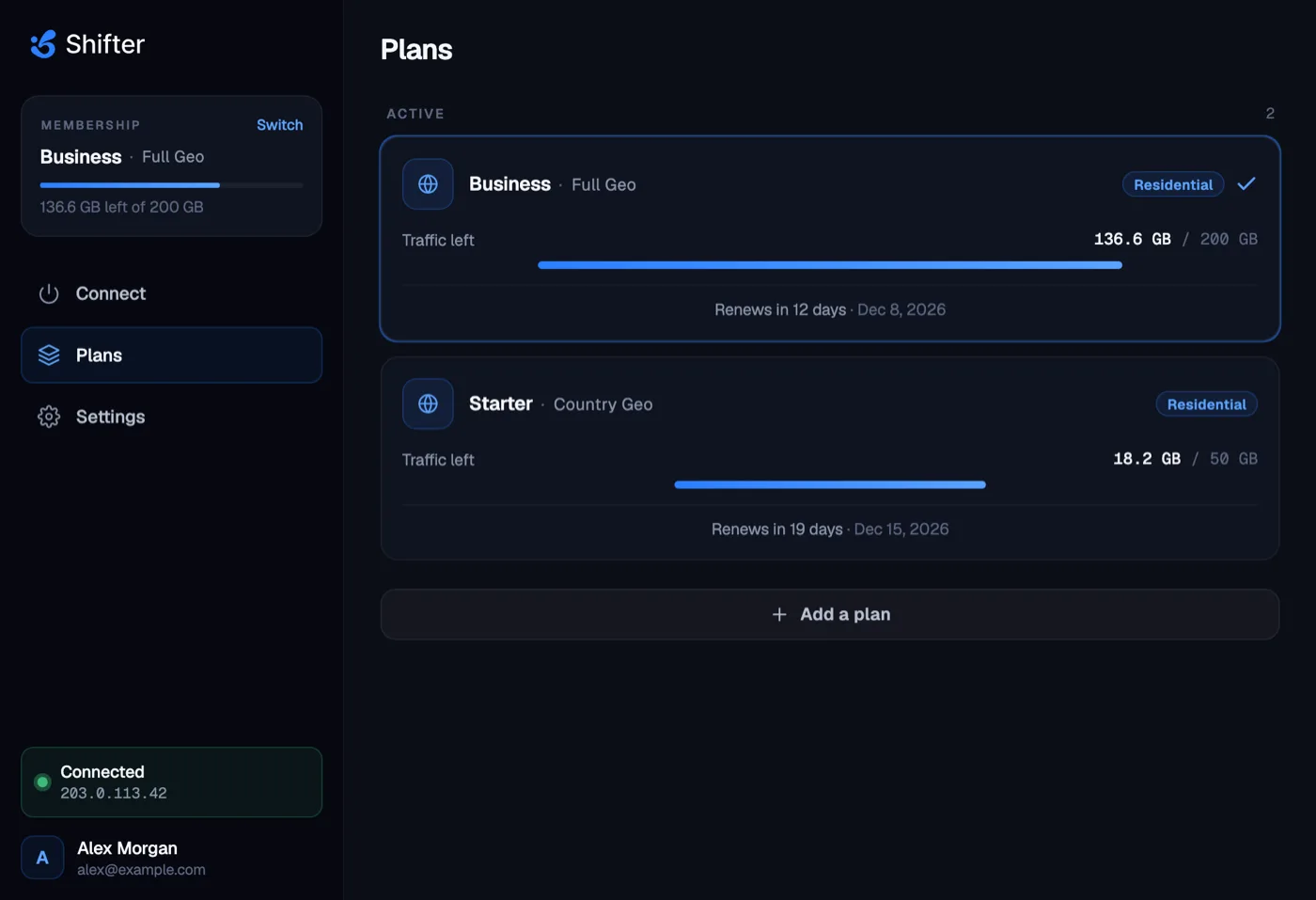
Every plan, with the traffic left
See your Residential Proxies and ISP Proxies plans with the traffic left on each, and switch plans in one click.

Location
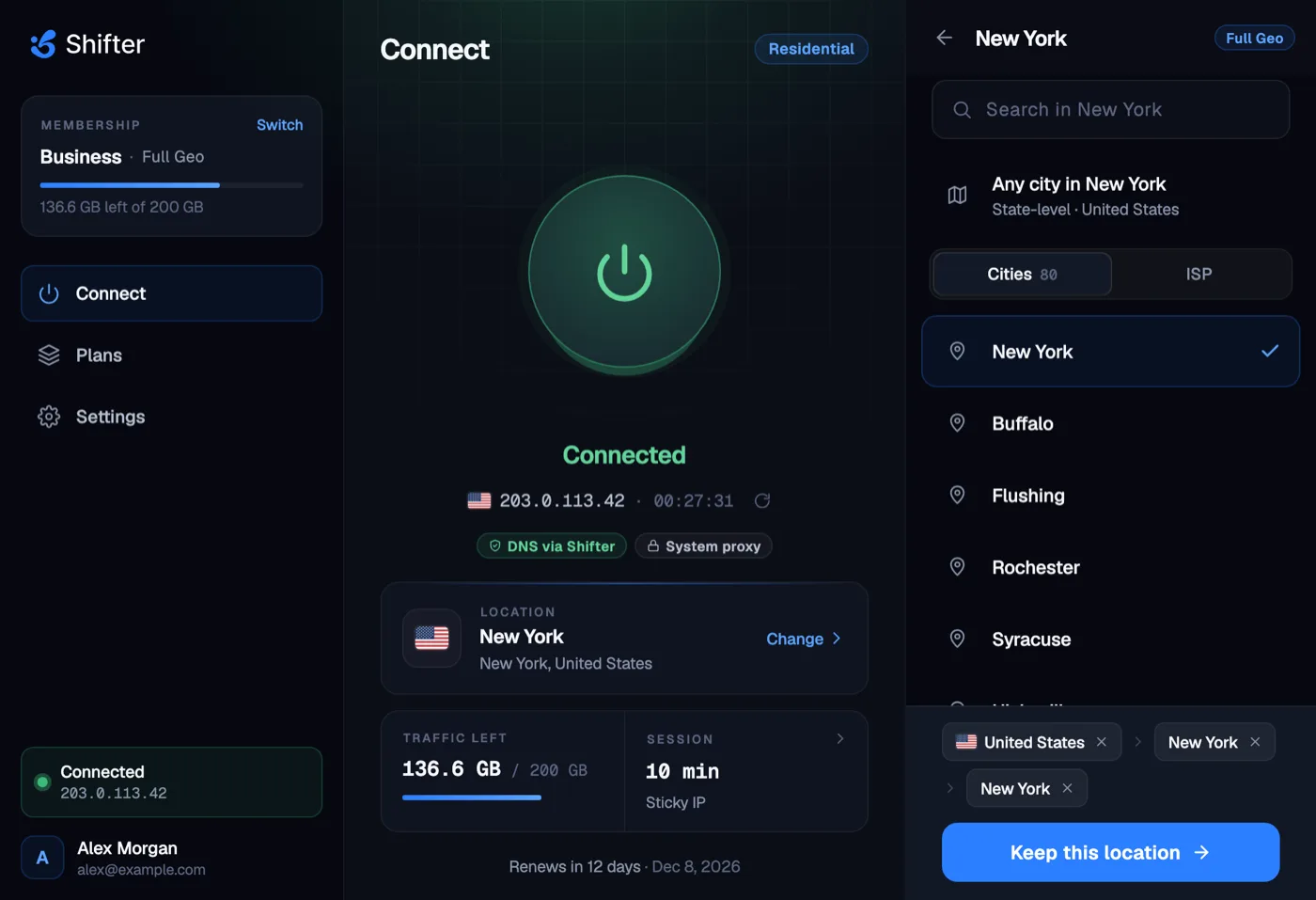
Pick a location your plan supports
What you can target follows the pool of your Residential Proxies plan, and the app only offers what your plan supports.
- Full Geo Country, state, city or ISP (ASN), from one search box.
- Country Geo Any country.
- Non-Geo Random IPs worldwide.
IP session
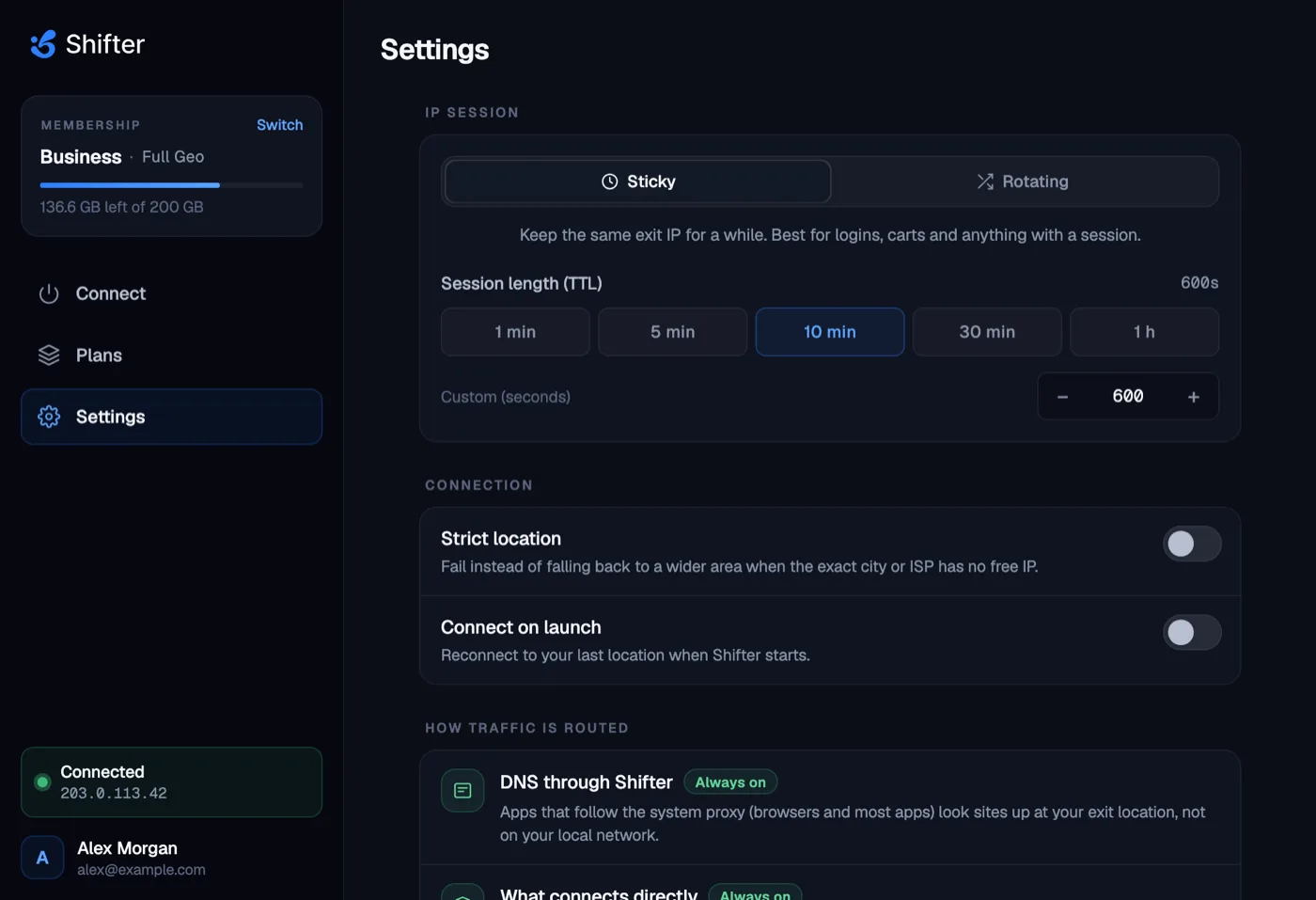
Sticky IP or a new IP per request
Choose how often your exit IP changes, and rotate it whenever you want.
- Sticky IP One exit IP for 10 minutes, or any length you set.
- New IP per request A fresh exit IP on every request.
- Get a new IP Rotate on demand, with no settings to change.
- Strict location Only IPs from the exact state, city or ISP you picked.
Privacy and control
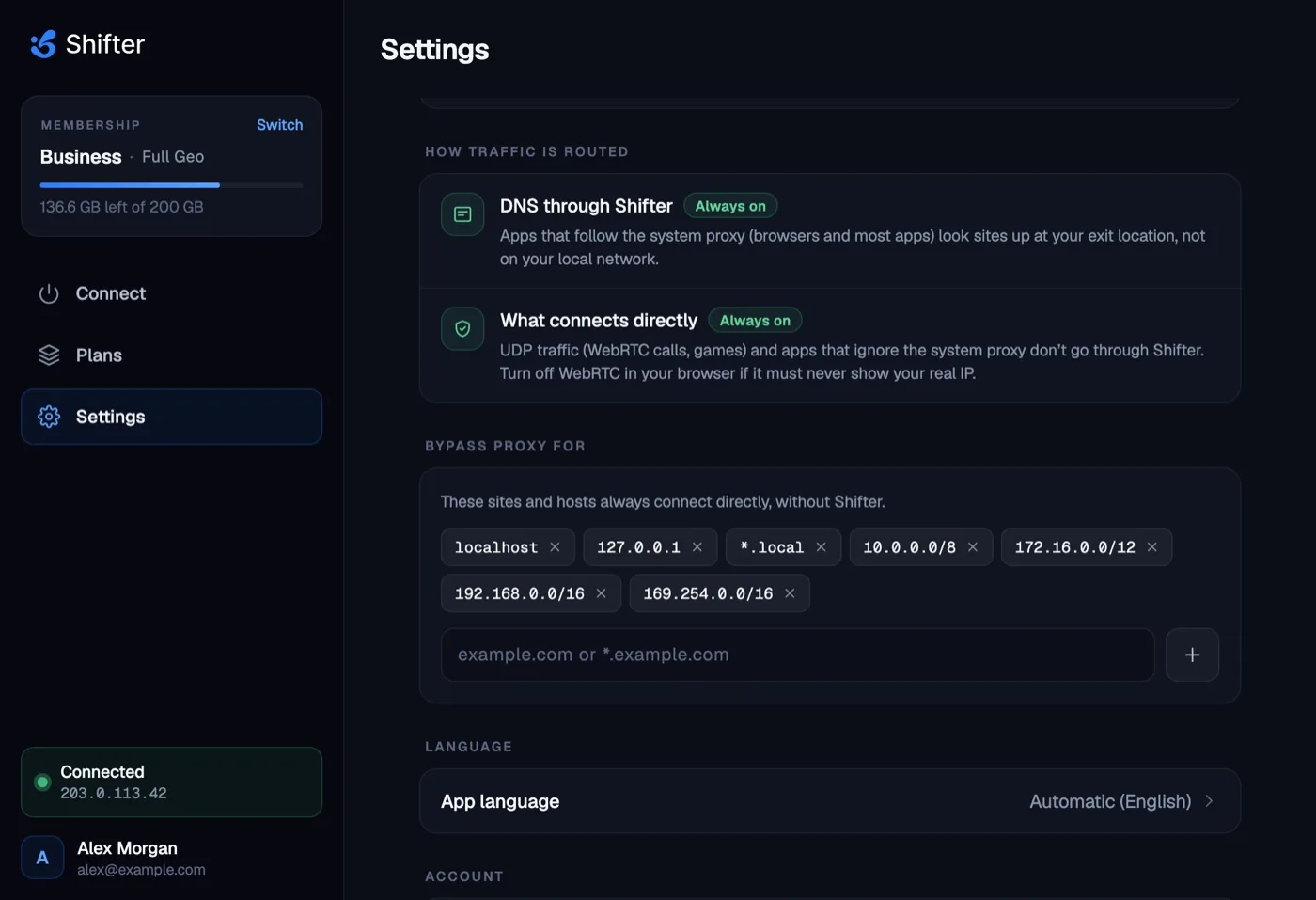
Your real IP stays out of sight
The app checks where you appear to be, and local traffic stays on your own network.
- Exit check After connecting, the app shows your exit IP and country, checked on IP Info.
- Bypass list Local addresses load directly. Add any domain that should skip the proxy.
 New York
 London
 Frankfurt
ISP IP selection
Select any static ISP IP on your ISP Proxies plan and the app keeps routing through that same IP.
Entry points
The nearest region by default, or one of 8 fixed entry points when you need a sticky IP to hold.
GNOME proxy, handled
The app writes the GNOME proxy settings for you and restores your own the moment you disconnect.
Three steps on GNOME.
No gsettings commands and no proxy URL to paste into each app.
- 1GNOME
Install Shifter
Get Shifter for Linux and open it on your GNOME desktop.
- 3GNOME proxy on
Connect
Pick a plan and a location. Apps that follow the GNOME proxy now use Shifter.
What you need
- An active Residential Proxies or ISP Proxies plan.
- Your Shifter API key, from your profile.
- A Linux computer.
Legacy backconnect plans, the Web Scraping API and the SERP API do not work with the apps.
Shifter on your other devices
Frequently asked questions
Is Shifter for Linux free to install?
Yes. The app is free to install; your traffic counts against your Shifter plan as usual.
Which plans work with the Shifter apps?
Residential Proxies plans on the Full Geo, Country Geo and Non-Geo pools, and ISP Proxies plans. Legacy backconnect plans, the Web Scraping API and the SERP API are not supported.
Where is my API key stored?
Only on your device. The app sends it to Shifter's own API to load your plans and settings, and nowhere else.
Can I keep the same IP while I work?
Yes. Choose Sticky IP to keep one exit IP for the session length you set, 10 minutes by default. On an ISP Proxies plan you can pick one static IP and keep using it.
Is there a browser extension too?
Yes. The Shifter extension for Chrome, Brave, Opera and Firefox has the same features, for when you only need the proxy in your browser.
Put your plan on your Linux computer.
Install the app, paste your API key and pick a location.
Download for Linux 97.6
 81.8
 81.1